
Your CRM manages your opportunities. follo helps create them.
follo is a Chrome extension that keeps your leads in one place, prioritizes who needs attention, and brings the right people back into view when it’s time to follow up—all without leaving the tools you already use.
No follo account required.
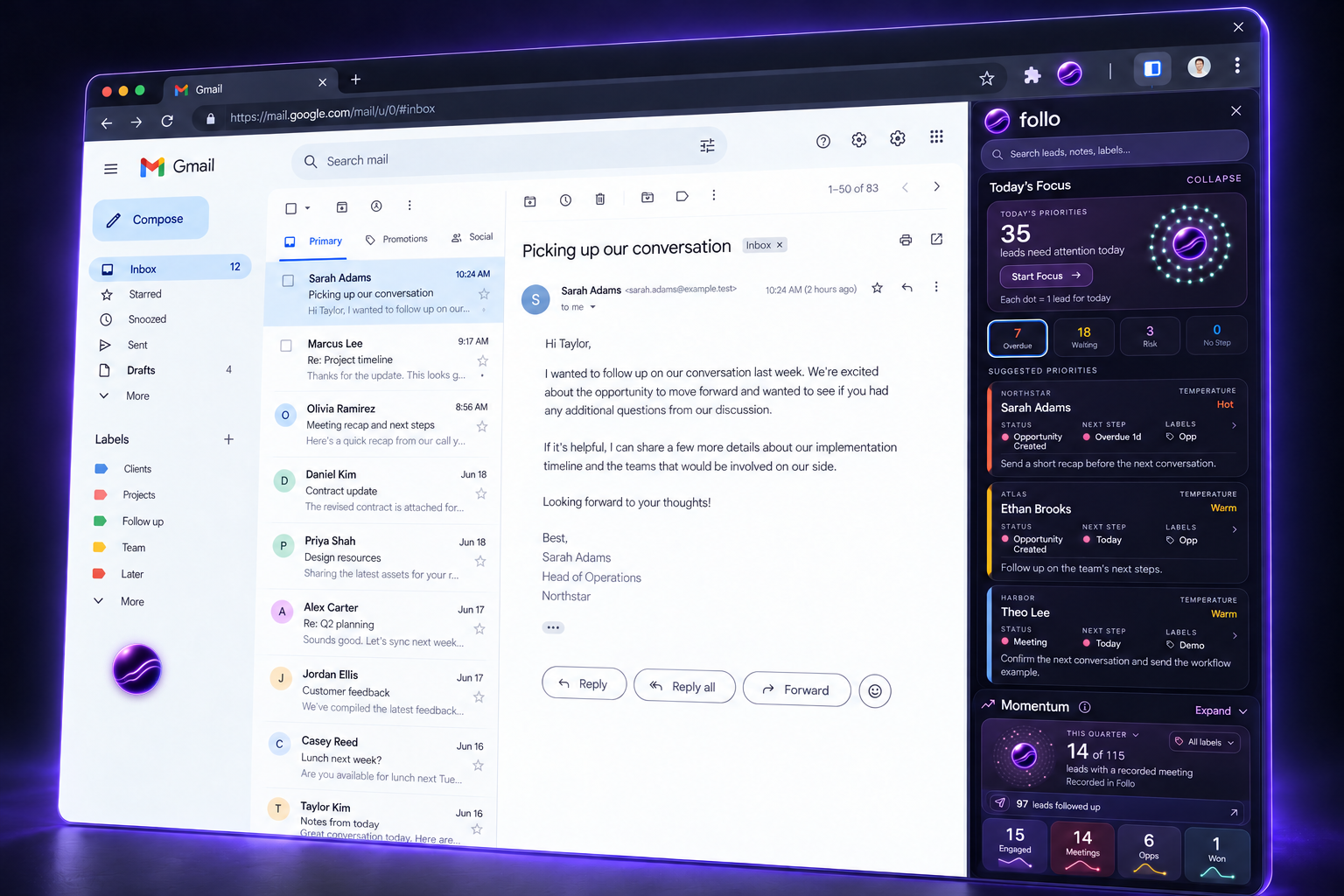
Build more pipeline from the good leads you already have.
Your next opportunity could already be in your inbox, on LinkedIn, or sitting in your CRM. follo keeps those promising relationships visible and their next steps clear—so good leads get the follow-through they deserve.
Try follo for yourselfI was finding good leads. Then losing track of them.
My leads were scattered across my CRM, email, and LinkedIn.
I was starring, labeling, and snoozing emails—and still finding good conversations after they’d lost momentum. Calendar reminders helped me remember when to follow up, but not who the person was or where we’d left things.
I built follo to keep my leads, their context, and their next steps together—so good relationships wouldn’t get lost in a busy sales day.
See what a little follow-through can do.
Explore a sample lead. Add a note, choose a next step, and get a feel for follo. No install needed.
 Your relationships, moving forward
Interactive demo · Sample leads
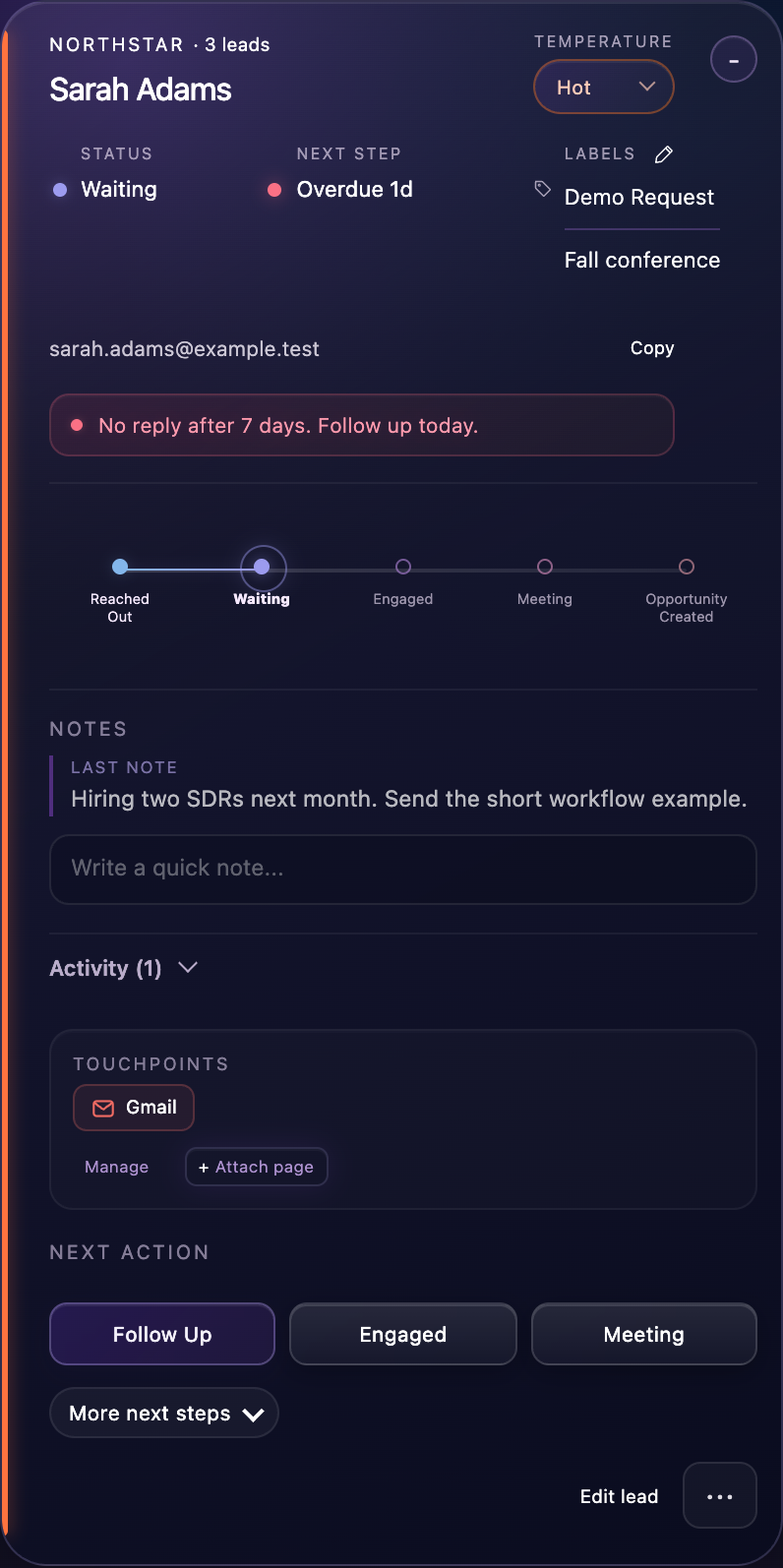
Click Meeting on Sarah’s timeline, then choose Next Week. See the meeting appear in Momentum.
A safe space to explore. Your changes stay in this demo and reset when you reload.
Click the orb for a closer look. Bright dots open sample leads.
All your good leads. One place.
Keep the person, the conversation, and the next step together. Open the right Gmail thread, CRM record, or LinkedIn profile straight from the lead—without searching through separate lists.
Keep the context.
Your notes, labels, and source links stay with the person.
See the whole account.
Companies brings the contacts at each account together.
Start with the people you know.
Bring in an existing list by CSV, or save a person from the pages where you already work.
Know who needs attention.
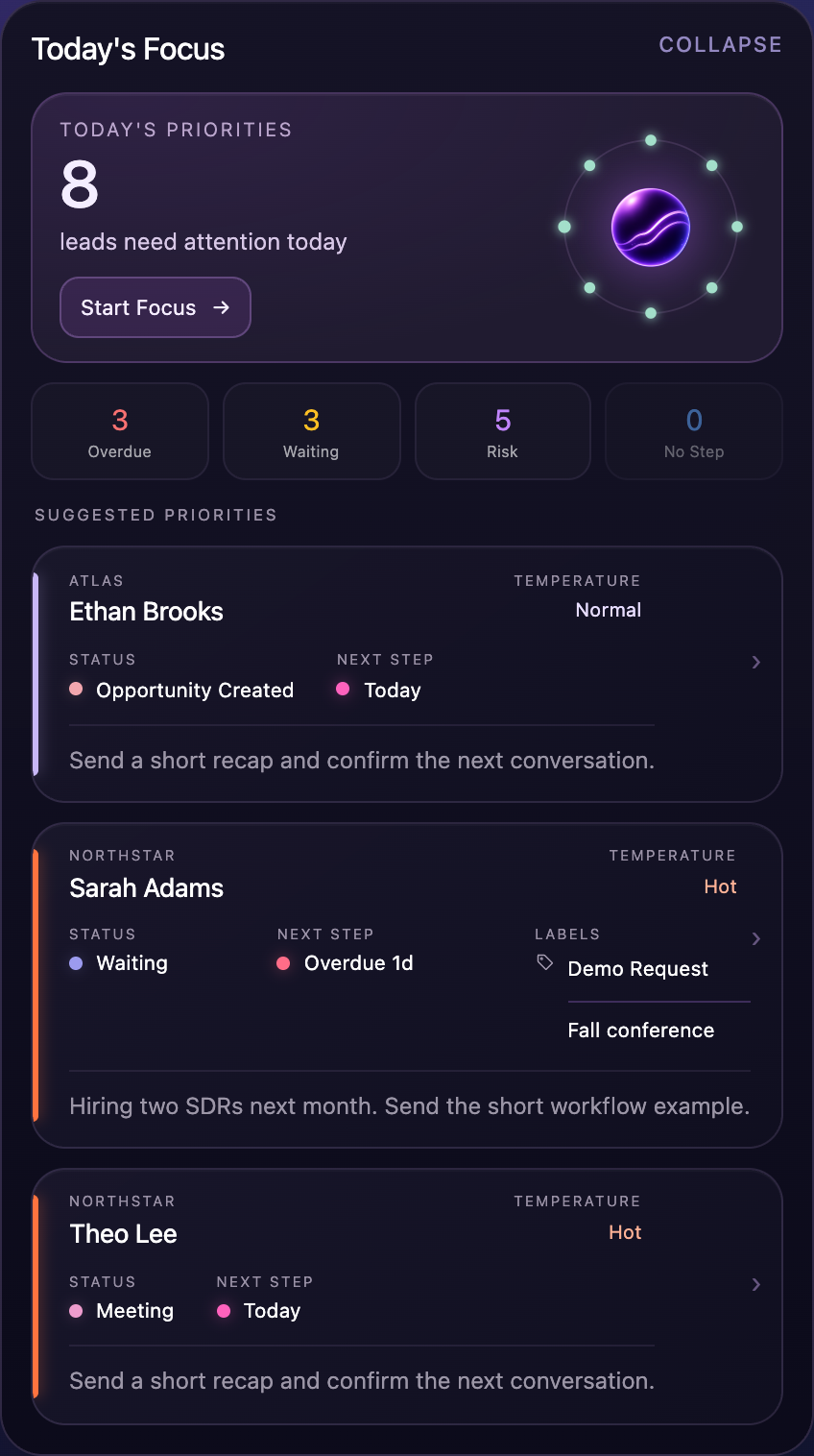
Start with the relationships that need you today. follo brings overdue follow-ups, waiting conversations, at-risk leads, and missing next steps into view.
A clear place to start.
Choose a priority or work through a Focus Sprint, one person at a time.
The next touch stays visible.
Not ready until next quarter? Keep the context and set a reminder or cadence. follo brings the lead back when it’s time to follow up.
Replies become next steps.
When follo recognizes a saved lead’s reply in Gmail, it prompts you to choose what happens next.
See relationships move forward.
See how your follow-through develops into engagement, meetings, opportunities, and wins. Momentum connects the outcomes you record to the people behind them.
Choose an outcome to see who’s moving forward. Compare periods and return to the relationships behind your progress.
Meetings · 12 of 64 followed-up leads in this example
Built from activity you record in follo.
Explore Momentum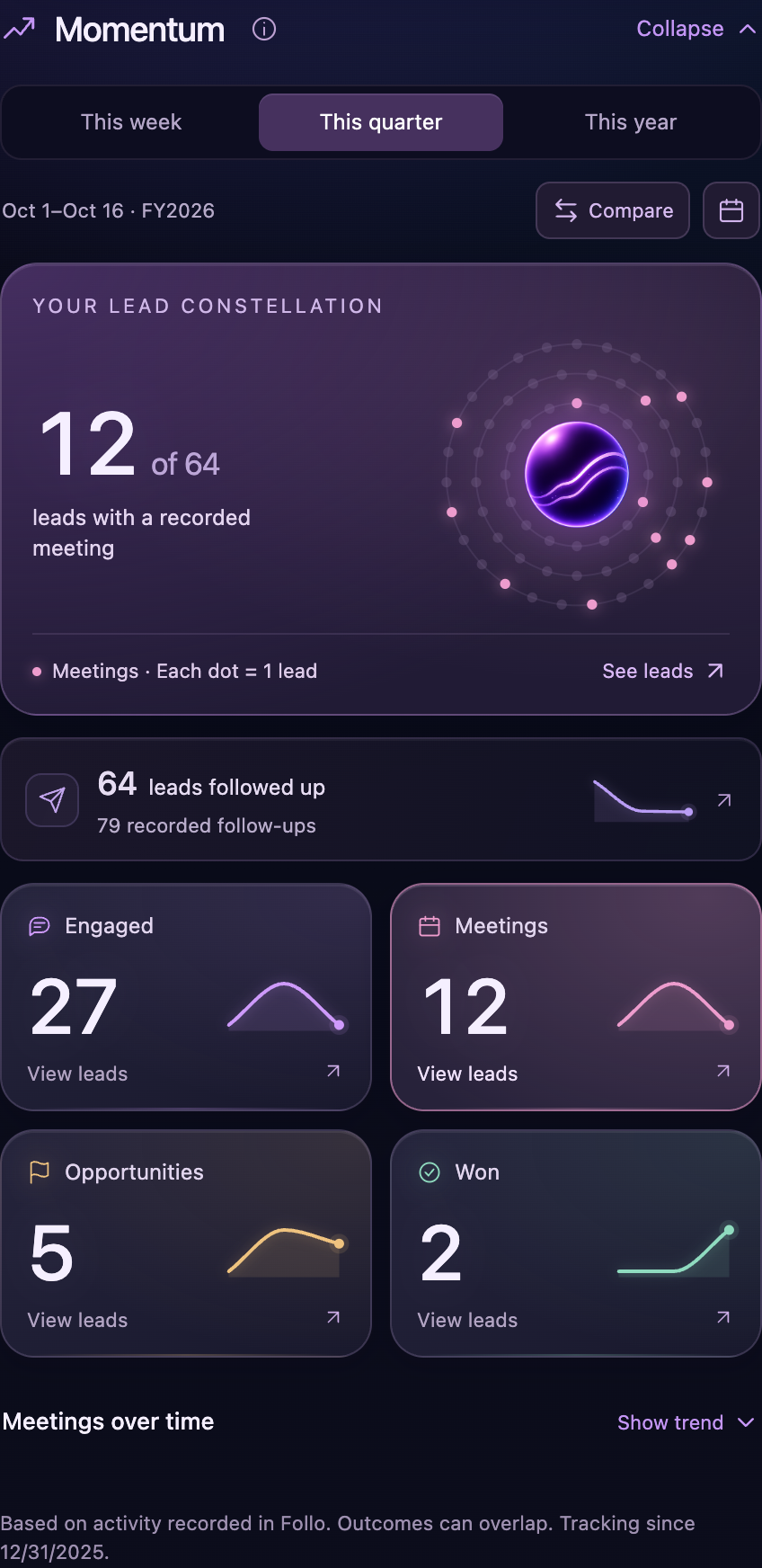
Where follo fits.
A small addition to your sales day. More follow-through on the relationships that matter.
I already have a CRM. Why would I need follo?
Your CRM manages your opportunities. follo helps create them. It keeps promising people, their context, and their next steps visible across your day—including relationships that aren’t ready for an opportunity yet.
What if I use a sales engagement tool?
follo gives you a personal place to keep track of good leads, including people between sequences or waiting for a better time. Keep the context and next step close while you work in your existing tools.
How do my leads get into follo?
Save a lead from a supported page, or import an existing list from CSV. Optional Gmail Discovery can suggest people you haven’t saved yet. You choose what gets added, and you can start without creating a follo account. See how to get started.
Does follo send emails or messages for me?
No. follo organizes your leads and schedules follow-up reminders. You decide what to say and send the message yourself.
Where does my lead information live?
Your leads, notes, and Discovery activity stay in this Chrome profile. They don’t automatically sync between computers; use a lead backup to move them. Optional usage analytics are off by default and exclude contact details. Read the privacy details.
Can I use follo on my phone?
The extension runs in Chrome on your computer. You can explore this interactive demo on your phone, then add follo when you’re back at your desk.
Stop losing leads.
Start building pipeline.
Add follo to Chrome.
Make more of the good leads you already have.
Free forever for up to 15 saved leads. No credit card required.